
Write a Review
JioTag Go Bluetooth Item Tracker for Android - Black
SKU: 6921500406649
Inclusive of all taxes
The JioTag Go in Black is a coin-sized Bluetooth item tracker made for Android phones. Pair it with the Google Find Hub app (formerly Find My Device) to ring its 120 dB buzzer, see its last-seen location on a map and get help from millions of Android devices.
Colour: Black
₹2,999
Delivery Details
Expected delivery: 2-3 Days Delivery
Country of Origin: China
- Works with the Google Find Hub app (formerly Find My Device) on Android 9 or later
- Built-in buzzer up to 120 dB: tap Play sound to find the tag nearby
- Last-seen location from the Find Hub network of millions of Android devices, in India and abroad
- Lost mode notifies you when the network finds the tag, and you can share it with family
- Google Fast Pair one-tap setup, Bluetooth 5.3, no SIM card or data plan needed
- Replaceable CR2032 battery that lasts up to 12 months, with a spare in the box
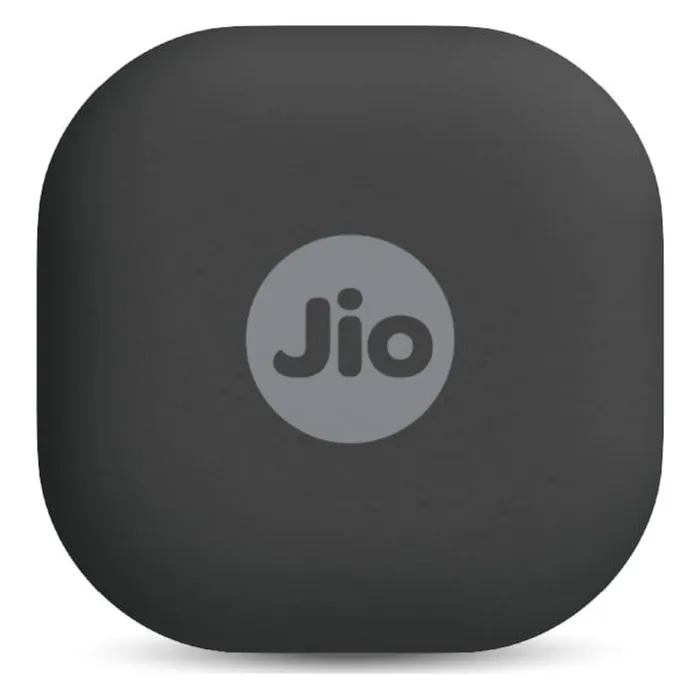
JioTag Go is a Bluetooth item tracker from Jio, made for Android phones. The Black tag measures 38.2 x 38.2 x 9.5 mm and hangs from keys, a bag or a suitcase. It needs no SIM card or data plan, and it pairs with any phone on Android 9 or later through the Google Find Hub app, which used to be called Find My Device.
When the tag is within Bluetooth range, tap Play sound in the app and its built-in buzzer beeps at up to 120 dB. Out of range, the app shows the last location reported by the Find Hub network with the time it was seen, and Get directions opens a map to it. Nearby Android devices pick up its secure Bluetooth signals, so this also works abroad. Lost mode notifies you as soon as the network finds it, and you can share the tag with family or friends so they can help look.
A replaceable CR2032 coin cell lasts up to 12 months, and Jio packs a spare in the box. JioTag Go does not work with iPhones, and Jio publishes no water or dust rating for it. Location updates are semi real-time, because they depend on Android phones passing near the tag, so it is not a live GPS tracker.
Install the Google Find Hub app (formerly Find My Device) from the Google Play Store on a phone with Android 9 or later. Turn on the JioTag Go near the phone, tap Connect on the Fast Pair pop-up, then Agree and continue, and Done. If you miss the pop-up, open Settings, then Google, All services, Devices and sharing, Devices, and select JioTag Go. To reset the tag, press its button 4 times within 2 seconds, then hold it for 8 seconds after the beep until the LED flashes three times.
JioTag Go, a spare CR2032 battery, a lanyard, self-adhesive tape, user manual and warranty card.
Body
- Dimensions
- 38.2 x 38.2 x 9.5 mm (1.50 x 1.50 x 0.37 in)
- Build
- Coin-sized rounded-square tag with a lanyard hole, one button and an LED; Jio logo on the front
Sound
- Loudspeaker
- Built-in buzzer, up to 120 dB; Play sound from the Google Find Hub app
Comms
- Bluetooth
- Bluetooth 5.3; Google Fast Pair one-tap setup (manual setup also available)
- Positioning
- Google Find Hub network (formerly Find My Device): last-seen location reported by nearby Android devices, semi real-time; no GPS, no SIM card or data plan
Features
- Controls
- One button: press 4 times within 2 seconds, then hold for 8 seconds after the beep to reset (LED flashes three times)
- Privacy
- Unknown tracker alerts on Android and iOS
Compatibility
- Compatible Devices
- Android phones with Android 9 or later and the Google Find Hub app; not compatible with iPhone
Battery
- Type
- Replaceable CR2032 coin cell, up to 12 months; spare battery included
Launch
- Announced
- 2024, December
FAQs


